
If you are building a PC specifically to play the base Grand Theft Auto 6 story mode, your hardware target is already high. But if your ultimate goal is to dive into the chaotic, deeply immersive world of GTA 6 Roleplay (RP) through clients like FiveM (Cfx.re), you need an entirely different tier of machine.
When Rockstar Games officially acquired the team behind FiveM, it cemented one immutable fact: custom multiplayer servers and deep roleplay mechanics are no longer niche mods. They are the undeniable future of the Grand Theft Auto franchise. And as we transition into the Leonida era, the technical leaps required to render this world mean your hardware must be impeccably planned.

Playing on a highly modded server with 100 to 200 other live human players, navigating through hundreds of custom, unoptimized vehicle assets and custom map interiors (MLOs) changes the equation entirely. An RTX 4060 might handle GTA 6 in the base game, but the moment you load into a bustling Vice City PD precinct during prime RP hours, your system will face extreme, unique bottlenecks.
At SpecVI, our diagnostic metrics continuously prove that multiplayer framework mods shift the burden from your graphics card directly to other crucial PC components. Let us break down the exact GTA 6 FiveM PC requirements, why they differ so drastically from Rockstar’s official specifications, and how you can prepare your rig today.
Why Do FiveM and RP Servers Demand More Hardware?
Before looking at specific component upgrades, you must understand why Roleplay fundamentally alters your hardware utilization.
When you play standard GTA 6 or GTA Online, Rockstar has perfectly curated the experience. Every vehicle polygon, every texture file, and every NPC behavior script is highly optimized to run within strict limits. If you drive down Ocean Drive on the base game, the engine spawns low-fidelity cars out of your immediate sightline (LODs) and rigorously schedules CPU tasks to maintain a smooth 60 FPS.
FiveM servers shatter those limits. In a roleplay environment, the server host has complete control. This usually results in:
- Custom Assets: Server owners routinely import highly detailed, completely unoptimized real-world car models (BMWs, Porsches) that feature ten times the polygon count of vanilla game vehicles.
- Player Density: Vanilla GTA Online restricts player counts. A top-tier RP server regularly sustains 150 to 300 active players in the same city. Every single one of those players sends positional data, voice over IP (VoIP), and clothing metadata to your processor simultaneously.
- Client-Side Scripting: Elaborate inventory systems, customized police MDT terminals, entirely new jobs, fishing minigames, and customized banking UIs are run instantaneously on the top of the RAGE 9 engine in real-time.
When 40 players gather for a car meet using high-poly imported vehicles running complex custom LUA scripts, even flagship PCs will start to beg for mercy. You can no longer rely on Rockstar’s official system requirements. Let’s look at what you actually need.
The CPU Bottleneck: Why Your Processor is Everything
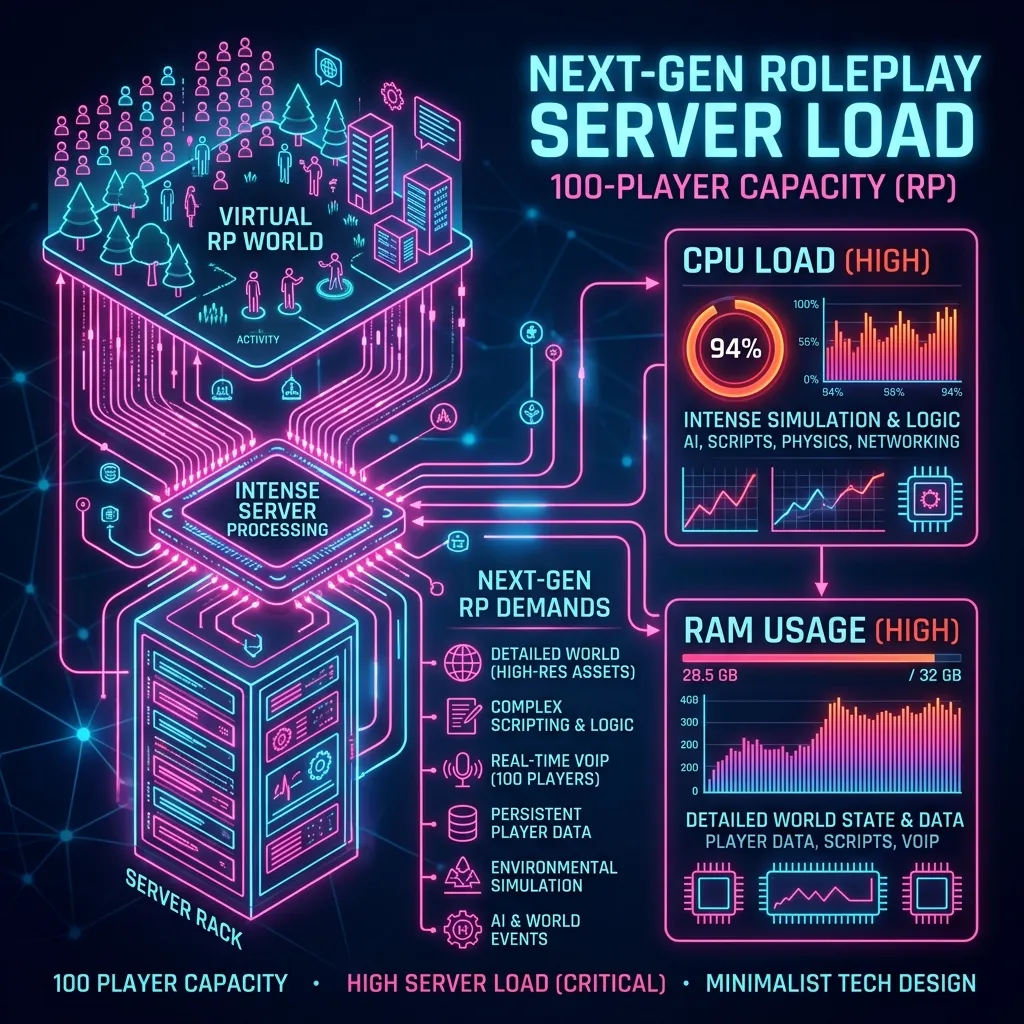
In the standard GTA 6 System Requirements, a mid-range, six-core CPU might suffice for 60 frames per second. In the realm of Roleplay, your Central Processing Unit (CPU) is without question the singular most important component in your entire build.
The Problem With Multi-Threading on Custom Servers
FiveM operates by sitting between the game engine and Windows. Every custom script the server forces you to download necessitates heavy processing. The CPU is tasked with “Draw Calls” – basically, telling your graphics card what to render. When 100 players wearing custom modded clothing congregate in a small area, your CPU has to calculate the physics, animations, and instructions for all of them before your GPU even gets a chance to draw the frame.
Regardless of how powerful your GPU is, if your CPU is too slow to send the instructions, your framerate will plummet. This is the definition of a CPU bottleneck. This is why players with RTX 4080s still experience 45 FPS in heavily populated Red Dead RP towns.
The Ultimate Solution: AMD’s X3D Processors
If you are deeply committed to GTA 6 Roleplay, there is a very clear hardware mandate: prioritize AMD’s “X3D” processor lineup.
Chips like the Ryzen 7 7800X3D (and the upcoming 9000-series X3D variants) feature a massive pool of 3D V-Cache memory directly on the processor die. This local, blisteringly fast memory is a silver bullet for CPU-bound, heavily modded multiplayer games. Having all the instructions from the server scripts readily available in the local CPU cache prevents stuttering and frame dips when you load into dense, chaotic environments.
If you are trying to parse out whether your current processor will cut it, use our dedicated Best CPU for GTA 6 guide as a baseline, and automatically prioritize the higher-tier recommendations specifically for FiveM.
System RAM: 32GB Is No Longer The “Sweet Spot”
For the last five years, 16GB of System Memory (RAM) was standard, and 32GB was considered a luxurious excess for extreme multitaskers. With GTA 6 Roleplay, expectations have definitively shifted.
When you connect to a FiveM server, you download gigabytes of custom server data directly into your active memory pool. That cache has to remain accessible so that when another player pulls out a custom M4 assault rifle or drives past in a modded police cruiser, your game does not freeze while it attempts to read the file from your hard drive.
GTA 6’s base world data alone will aggressively consume roughly 16GB of RAM. The server-imposed client data from the FiveM application requires another 6GB to 10GB. Adding Windows background tasks, Discord (essential for RP communication), and streaming software to the mix creates a devastating memory shortage.
Our Verdict on RAM:
16GB is entirely obsolete. 32GB of very fast DDR5 memory is the absolute bare minimum for an enjoyable, stutter-free roleplay experience in Leonida. If you are a dedicated content creator running recording software alongside your game, jumping to 64GB is the safest and wisest investment you can make for the next generation of server gaming. Check out our Best RAM for GTA 6 breakdown to identify the correct latency timings for DDR5.
VRAM Targets for Heavily Modded Roleplay Servers
We have extensively documented How Much VRAM You Need for GTA 6 in the base game. However, much like system RAM, your VRAM buffer shrinks rapidly in custom servers.
When server admins import high-quality, unoptimized 4K textures for custom clothing brands, custom billboards across Vice City, or excessive graphic vehicle wraps, those massive files are loaded directly into the memory buffer on your graphics card (VRAM).
If your GPU only has 8GB of VRAM (like an older RTX 3070), you will immediately suffer from aggressive texture pop-in. Streets will render blurry, buildings will appear invisible until you are practically touching them, and your framerate will stutter violently as your system frantically swaps memory around to compensate.
What Graphics Card Should You Target?
To navigate a custom Vice City seamlessly while rendering hundreds of custom vehicle textures at 1440p resolution, 16GB of VRAM is your ultimate safety net.
As highlighted in our Best GPU for GTA 6 roundup, cards like the AMD Radeon RX 7800 XT (16GB) represent massive value for roleplayers because they offer the immense memory buffer needed for high-res mods without the $1,000 price tag. On the NVIDIA side, the RTX 4070 Ti SUPER (16GB) provides both the necessary buffer and the added magic of DLSS 3.0 Frame Generation—a godsend when heavily CPU bottlenecked by the server.
Always utilize our free GTA 6 GPU Calculator to test exact component pairings before you buy a new graphics card.
Network and NVMe SSD Storage Considerations
Your graphical fidelity and processor speed are irrelevant if your connection to the server or your storage speed is throttling asset delivery. GTA 6 will undoubtedly be massive, but playing on a server multiplies the footprint.
The Storage Cache Crisis
When you use a FiveM client, all custom assets are downloaded into a local “cache” folder on your PC. For dense, established servers with years of development, this cache can rapidly expand to 50GB or 100GB of extra storage data purely dedicated to those specific server mods.
Loading into the city requires pulling thousands of small files from this cache simultaneously. If you install your Rockstar Games launcher and your FiveM client on an aging mechanical hard drive (HDD) or a slow SATA SSD, your load times extending past the 15-minute mark will become your daily reality. Furthermore, driving fast in-game will result in roads failing to load underneath your car.
The Storage Solution: You must install GTA 6, your FiveM framework, and the server cache entirely on a PCIe Gen 4 or Gen 5 NVMe SSD. These modern storage sticks possess read speeds that exceed 7,000 MB/s, allowing instant retrieval of complicated MLO interior files the second you walk through an unmarked door. Consult our Best SSD for GTA 6 guide for the highest TBW (Terabytes Written) survival ratings, due to the constant writing/rewriting of server cache memory.
Does Networking Matter?
Yes. Roleplaying revolves around instant VoIP (Voice Over IP), accurate gunplay hit-registration, and synchronized driving physics. Wi-Fi gaming is aggressively ill-suited for this environment. Even minor packet loss over a wireless router will result in “desync”, where your voice arrives late, your car teleports sporadically to other players’ perspectives, and you fall through the world map. Hardwiring your connection via a Cat6 Ethernet cable directly into your best gaming motherboard (Best Motherboard for GTA 6) is universally mandatory for stable gameplay.
Peripheral Reality: Macro Inputs Are Key
While most gamers will play the standard GTA 6 story confidently laid back on a couch, the tactical execution of Roleplay generally demands an aggressive desk setup.
High-end RP servers possess complicated radial menus, emote menus to surrender or put your hands up, and complex multi-button bindings to check vitals, toggle police sirens out of uniform, or manually shift gears in vehicles. Simply relying on the Best Controller for GTA 6 will leave you drastically disadvantaged inside deep server interactions.
You need to lean into macro-capabilities. Having access to a mouse with three to six thumb buttons allows you to instantly trigger your push-to-talk radio, pull up your inventory, or holster your weapon natively without removing your fingers from your WASD movement keys during an intense shootout.
The Baseline Blueprint: The Ultimate 1440p Roleplay PC
So, mapping all these unique constraints over to a realistic PC shopping list, what does the perfect 2026 build for a heavy GTA 6 RP server actually look like?
Based on our intensive architectural analysis, if you want zero stuttering in a 200-person player riot:
- Target CPU: AMD Ryzen 7 7800X3D (Essential for intense mod cache handling).
- Target GPU: NVIDIA RTX 4070 Ti SUPER (16GB VRAM) or AMD Radeon RX 7900 XT.
- System Memory: 64GB DDR5 (2x32GB) at 6000MHz.
- Storage Solution: 2TB to 4TB Gen 4 M.2 NVMe SSD (To separate base game files from massive 100GB server caches comfortably).
- Network Interface: Hardwired 2.5 Gigabit Ethernet to your MoBo.
Final Verdict and Preparation
The moment GTA 6 launches on the PC platform, the custom multiplayer server ecosystem will detonate. Within weeks, NoPixel or completely new flagship servers will deploy scripts that fundamentally transform Vice City into an unparalleled living sandbox.
If you strictly follow the baseline Rockstar specifications, you are preparing only for the single-player narrative. GTA 6 FiveM PC requirements are vastly higher. Do not simply upgrade for the base game. Upgrade for the sprawling, unoptimized, beautiful chaos of 150-player custom lobbies.
Ensure you utilize the Can I Run GTA 6 Checker on SpecVI to verify your current hardware. If you flag heavily on CPU score, it is time to upgrade before the servers open.